




.jpg)
We've added Skills — sequences of AI tasks you describe once, and an agent runs them for you. Here's what they are, how they work, and how to build your first one.
The problem
A cost estimator's workflow is dozens of repetitive steps: find the floor plan pages in the documentation, take measurements, classify them, rename them, group them, build a report. All of it done by hand, and all of it repeated in every project.
A manual process scales poorly — the only way to go faster is to add people — and it accumulates errors: by page twenty, attention slips, and an inaccuracy rides straight into the report.
How it works now
You describe the process once as a sequence of steps — and from then on, an agent runs it. You launch the skill and answer its questions; it handles the rest: finds the right pages, recognizes rooms and areas, classifies and groups measurements, and names them exactly as the instruction says. No manual renaming, no missed pages.
What we tried before this
Honestly — the path here wasn't straight. "Let AI do the routine work" is an obvious idea, but the first approaches didn't work.
Just chatting with AI. You ask — it answers. But differently every time: today it finds all the floor plans, tomorrow half of them, the day after it grabs the electrical diagrams too. Fine for a one-off question. Not fine for a working process where the output goes into an estimate.
One big instruction in a single prompt. We wrote the whole process into one long text and handed it to the agent. It got lost in the middle, skipped steps, and worst of all — if it made a mistake on step three, the error rode calmly all the way to the final report, with nothing catching it along the way.
Rigid automation without AI. Scripts and rules work as long as the data is perfect. One non-standard floor plan, one unusual page — and everything falls apart. And in real projects, non-standard is the norm.
None of these delivered the main thing: predictability. A process that repeats every project doesn't need a "clever conversationalist" — it needs a reliable executor with quality control at every step.

The method: Skills
That's how Skills came to be — AI workflows built from individual steps. You describe the process once, and an AI agent runs it: works through the steps, asks questions when your input is needed, checks itself at control points, and delivers a predictable result.
The difference from chat is fundamental. Chat improvises every time. A skill executes the same instruction every time.
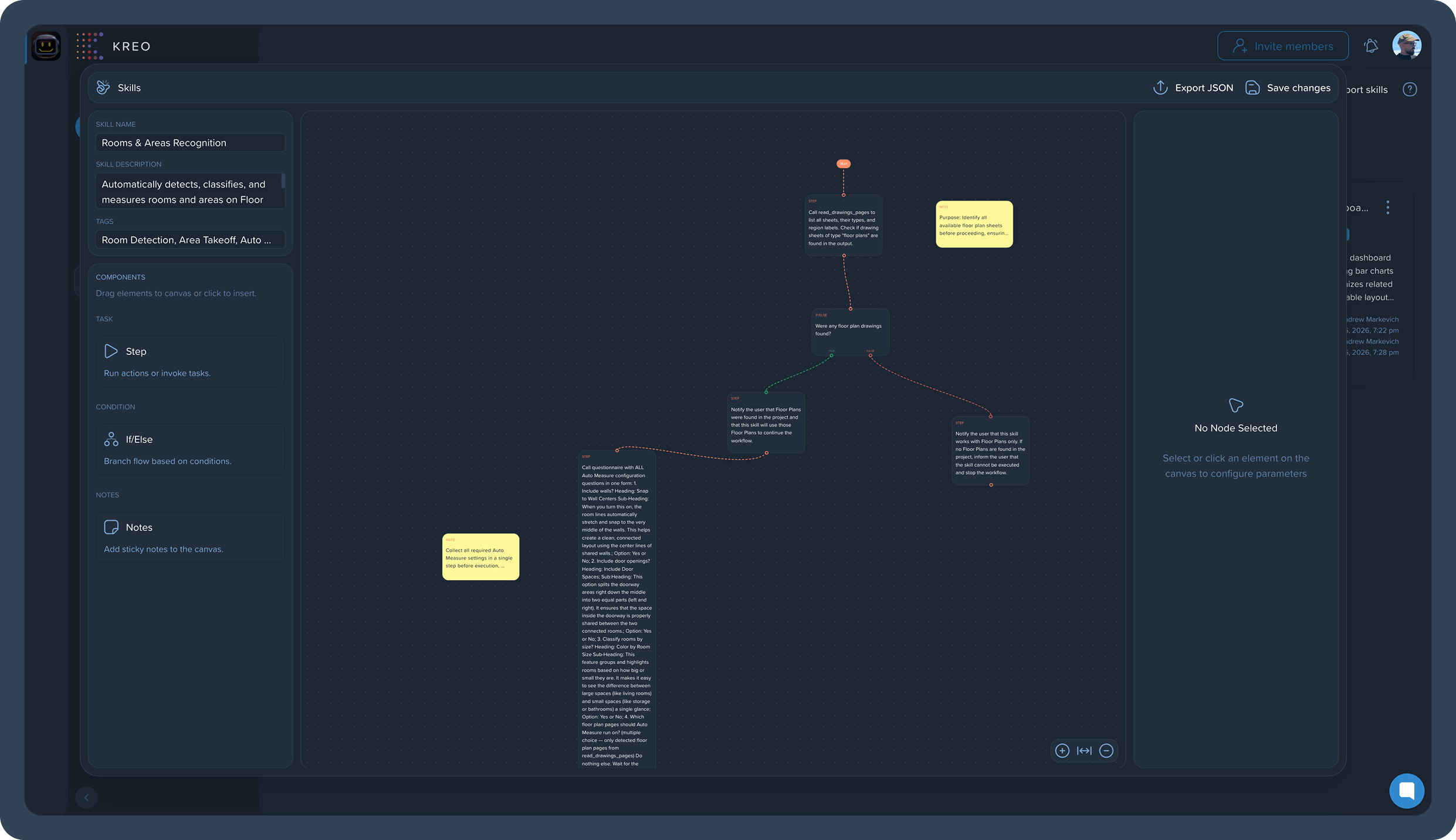
What skills can do
A skill can do anything you do in the product by hand:
- Search — find all pages with floor plans, or any other information across the project documentation.
- Extract and process data — pull information from pages, retrieve it, transform it, and pass it down the workflow.
- Work with measurements — analyze, classify, group, and rename them by your rules.
- Build reports — from the results of all previous steps.
There are enough steps in a skill to reproduce a cost estimator's entire workflow — from the first page search to the final report, with one button.
What a skill is made of
Steps. The basic building block. Each step is one task described in plain text: "find all floor plans," "analyze my measurements," "create a report." The agent executes them in order, step by step. No programming — instructions are written in words, in business language or technical language, whichever suits you.
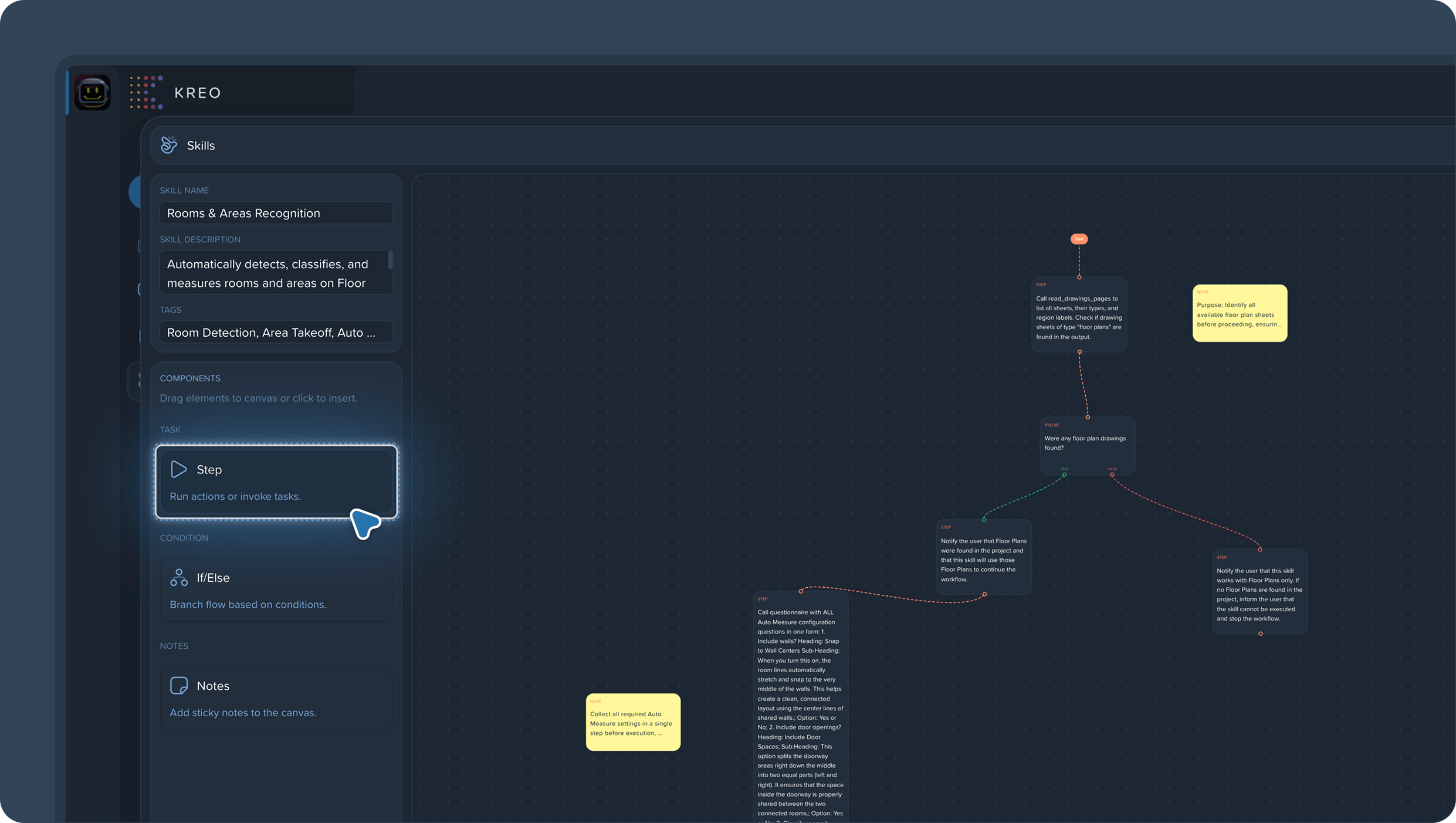
If/Else — conditional branching. A workflow doesn't have to be linear. If/Else adds control points: the agent completes a step — and checks the result before moving on. Example: measurements are calculated. We ask the agent whether it did them correctly. Correct — continue. Incorrect — send it back for a redo. This is exactly what solves the "one big prompt" problem: an error gets caught at its own step instead of riding through the whole workflow into the report.
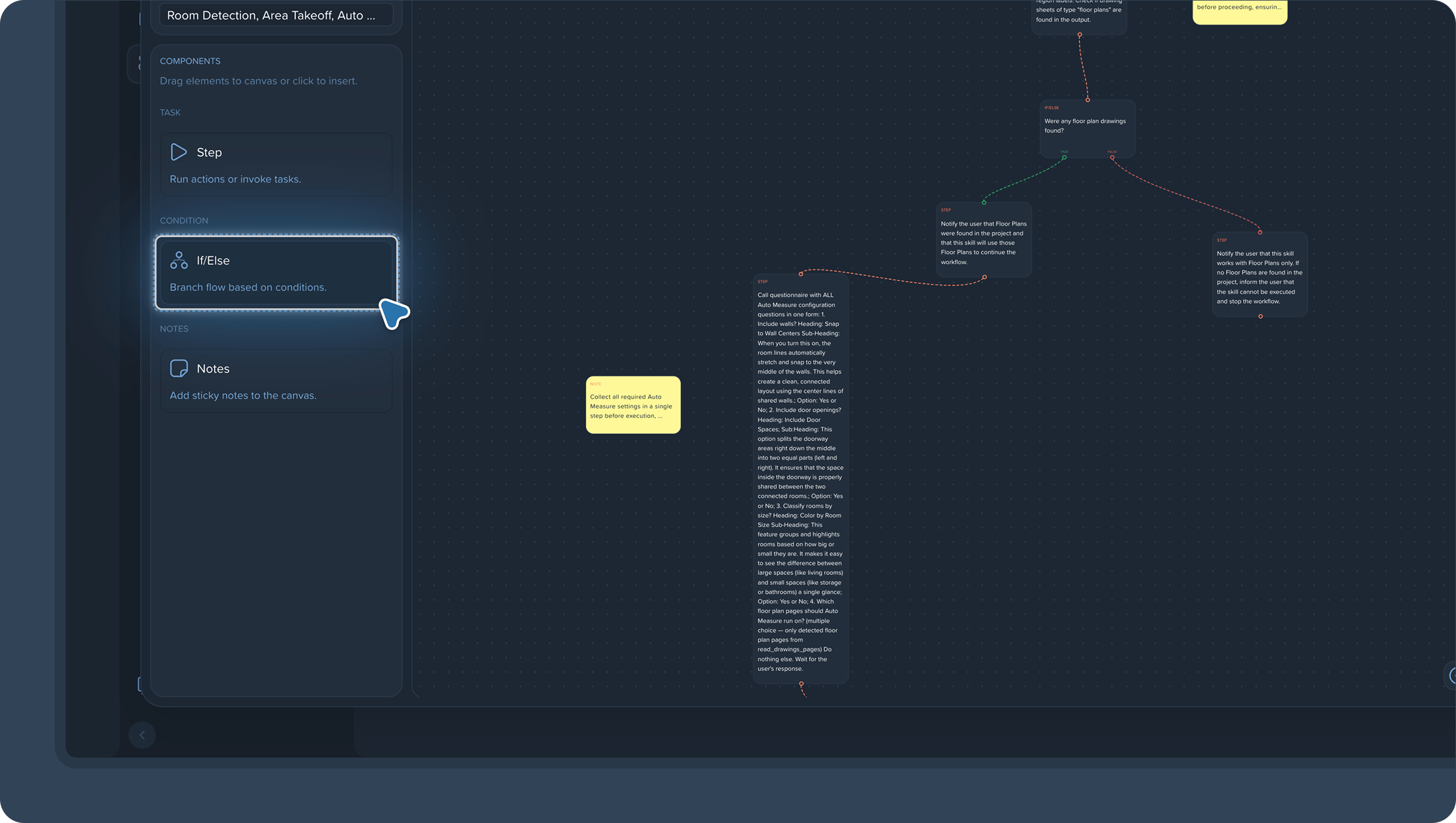
Notes. Comments right inside the skill — for teamwork. A colleague opens the skill and immediately sees the context: what this step does, what to watch out for, what's left to finish. No side conversations or verbal agreements that get forgotten.
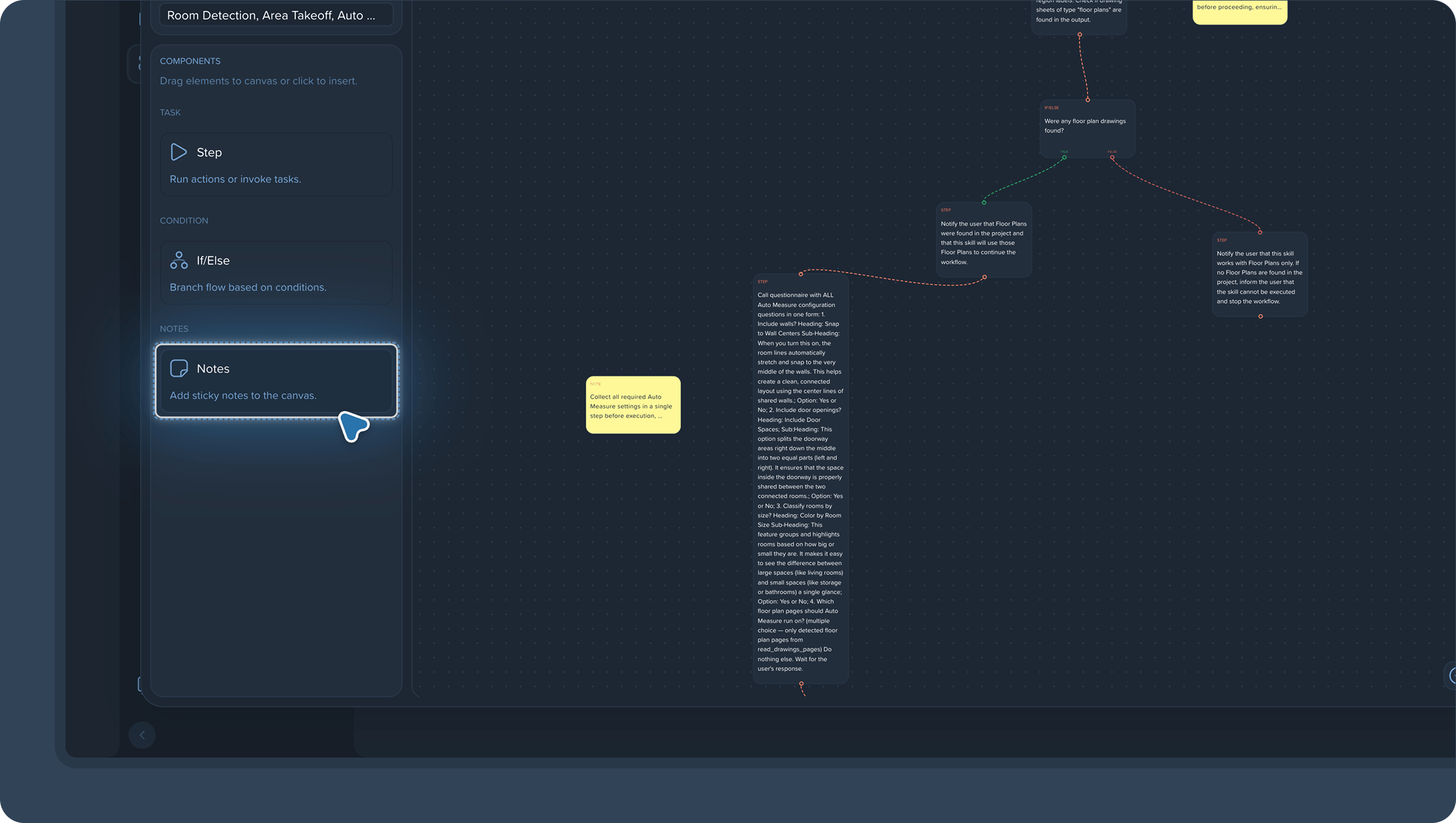
Name, description, and tags. Every skill has a name, a Skill Description, and comma-separated tags. Once you have a lot of skills — and you will — the right one is found in seconds. And most importantly: a skill is created once and reused in future projects, instead of rebuilding the process from scratch.
How to create a skill
- Click Create Skill — on the Skills page or from the Skills section in any project.
- Describe the steps: one task — one step. Start with a simple process of three to five steps.
- Where quality control matters, add If/Else — at minimum before the step where a mistake would cost the most.
- Give the skill a name, description, and tags so it's easy to find and reuse.
- Run it on a real page and check the result. Refine the wording — and the skill is ready for work.
How to run one
Open the project you need, click Skill, pick the skill, and launch it. From there, the agent follows its instruction: it figures out what questions to ask you and guides you through the process. You answer — it works.
A small tip: be specific
A skill will work even with a first draft of the instruction — write however you like, in business or technical language. But there's a simple way to make results more stable: specific wording.
Compare: "Open all pages that contain floor plans" — the agent executes that the same way every time. But "Open all pages where people live" — it may interpret that differently from run to run.
Three rules that will save you time:
- Be specific. Call things what they're called in the product: floor plans, measurements, pages. The agent shouldn't have to guess what you meant.
- Validate the results. Especially on the first runs — run the skill, check the output, find the step where the result drifts, and tighten the wording right there.
- Improve iteratively. A skill isn't "write it and forget it" — it's a tool you fine-tune. The more precise the instruction, the more stable the workflow. A well-tuned skill performs predictably run after run.
Which skills to build first
Start with the processes you repeat in every project:
- Finding and sorting floor plans — locate all pages with floor plans and get them ready for work.
- Room and area recognition — like Rooms & Areas Recognition.
- Classifying and renaming measurements — by texture or your own naming rules, like Classify Texture.
- Building a project report — from the measurement and classification results.
- The full cost estimator workflow — once you've fine-tuned the individual parts, combine them into one big skill.
FAQ
Do I need to know how to code? No. Steps are described in plain text. The only skill worth sharpening is precise wording.
What if the agent makes a mistake? That's what If/Else is for: place control points after the important steps, and an error gets caught and sent back for a redo inside the workflow — not discovered in the finished report. And validate the results of your first runs — that's part of the process.
Can a team work on a skill together? Yes. Notes inside the skill are exactly for that: context, comments, and agreements live next to the steps, not in a chat thread.

Beyond Skills: Caddie got an update
In parallel, Caddie — our agent — received a major update. It's the same agent that executes the steps in skills, so the improvements apply both inside skills and when working with Caddie directly.
Significantly faster
A real project isn't a dozen measurements. It's dozens of drawing pages and hundreds of measurements on every floor: rooms, areas, plumbing, HVAC. At that scale, the agent used to take its time — walking through every page, reading every measurement group, matching them up.
Now there's a new generation of tools under the hood, and the difference shows exactly at scale. A request like "calculate the total bedroom area across all floors and show only bedrooms" — which means filtering and aggregating hundreds of measurements across the whole project — finishes in tens of seconds, not minutes. Single requests got faster too, but the speedup is most noticeable in long skill workflows, where the agent runs dozens of operations back to back.
Better context understanding
Caddie got more precise in three areas:
- Measurements. The agent handles measurements better: it understands which measurements you mean and works with them more accurately.
- Project navigation. It orients itself more confidently in the project structure — finds the right pages and data faster, misses less.
- Request context. It better understands what you mean, taking into account where you are and what you're working with. Fewer clarifying questions and fewer misreadings.
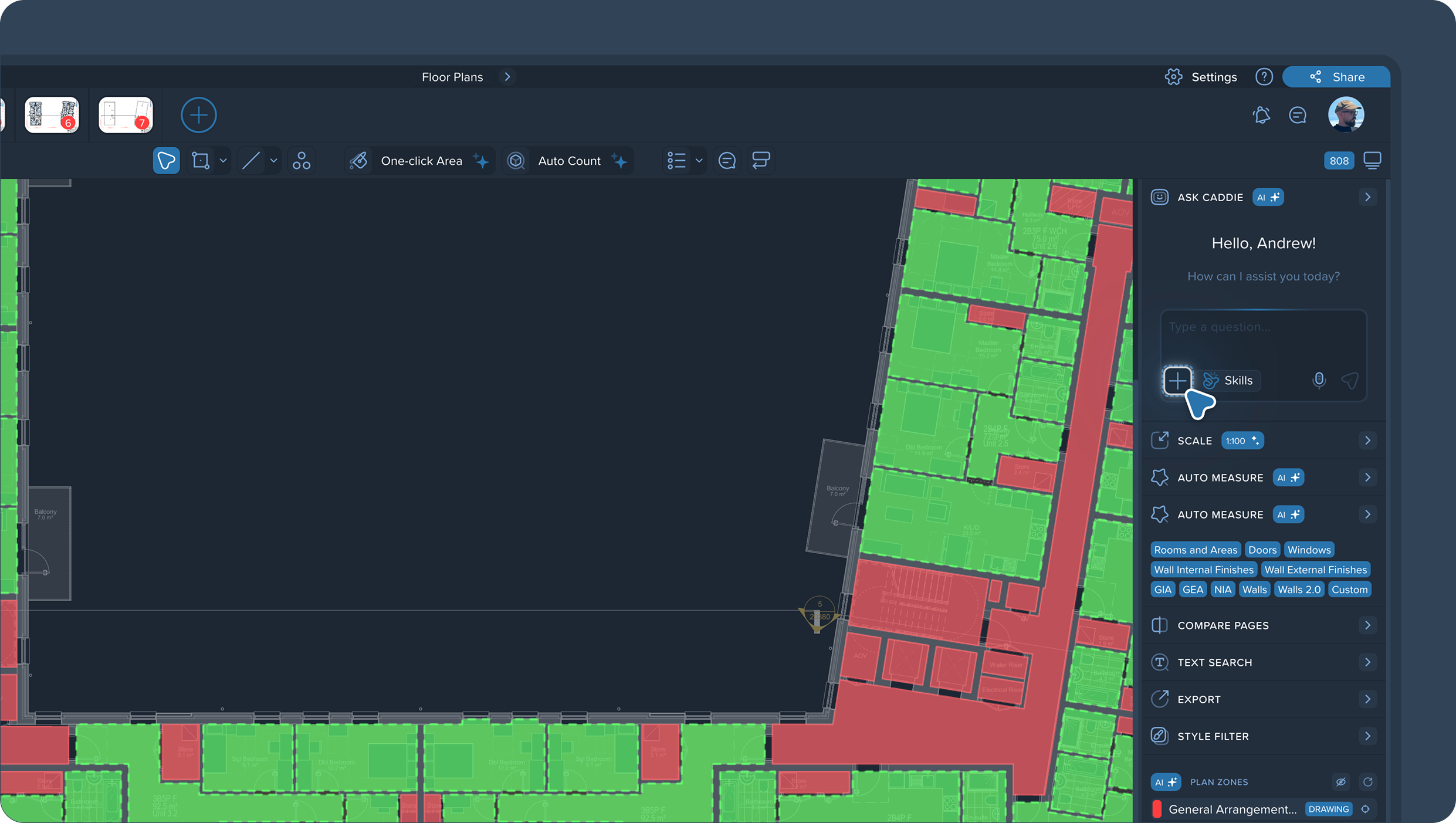
On top of that, you can now attach files right in the chat — and Caddie will use them in its work. Supported formats: PDF, images (PNG, JPEG, GIF, WebP), CSV, Excel, Word (.doc, .docx), TXT, and JSON, up to 50 MB per file.
One request — "Show drawings grouped by type" — and Caddie reads the drawing pages itself and returns an interactive chart: plumbing, floor plans, HVAC, sections.
A complex request in a single line: calculate the total bedroom area, find the floor with the most bedrooms, and show only bedrooms on the drawing. Caddie filters the measurements, aggregates the areas, hides the extra layers, and delivers a floor-by-floor breakdown — as a bar chart, a pie chart, and a table with metrics for each floor.
Editing measurements through the agent
A new capability: measurements can now be changed with a request to Caddie, not just by hand. Ask the agent — and it edits the measurement for you: changes properties, opens the right side, and so on.
The old chain looked like this: find the measurement, open it, manually fix each property. Now it's enough to tell the agent what needs to change — and it does it itself. Especially noticeable on bulk edits, where by hand you'd repeat the same action dozens of times.
"Change the line style of the green measurements to something you think looks best" — Caddie finds the right measurement groups itself and switches the solid borders to dashed lines. You don't even have to pick the style — the agent handles it.
Try it on your own process
If there's a process you repeat by hand in every project — sorting floor plans, classifying measurements, building reports — turn it into a skill and run it in your next project. Describe it once — from then on, it launches in a couple of clicks.
Less manual routine, fewer errors from slipping attention, more time for the work that actually needs you.
Turn your processes into AI workflows. That's it for now.
.png)


.png)


