




.jpg)
Over the past few months, the Kreo team has been living in a state of continuous research, testing, and close collaboration with users. All for the sake of what we consider the most massive technological and product shift of the past year — the creation of a next-generation autonomous AI agent.
This transition began with a simple but crucial insight. We analyzed thousands of user sessions and realized: even the most advanced AI, capable of instantly finding the right information on a drawing, still leaves the estimator alone with the routine. The specialist had to read the AI's prompts and then manually transfer them to the drawings, making hundreds of monotonous clicks. We realized that half-measures no longer work. The construction industry doesn't just need a smart conversationalist, but a full-fledged digital employee to whom tasks can be delegated "turnkey." This is how Caddie was born.
It's not just another "AI assistant" that simply reads PDFs and answers questions. And it's not an "AI button" that takes one step and stops, requiring manual control.
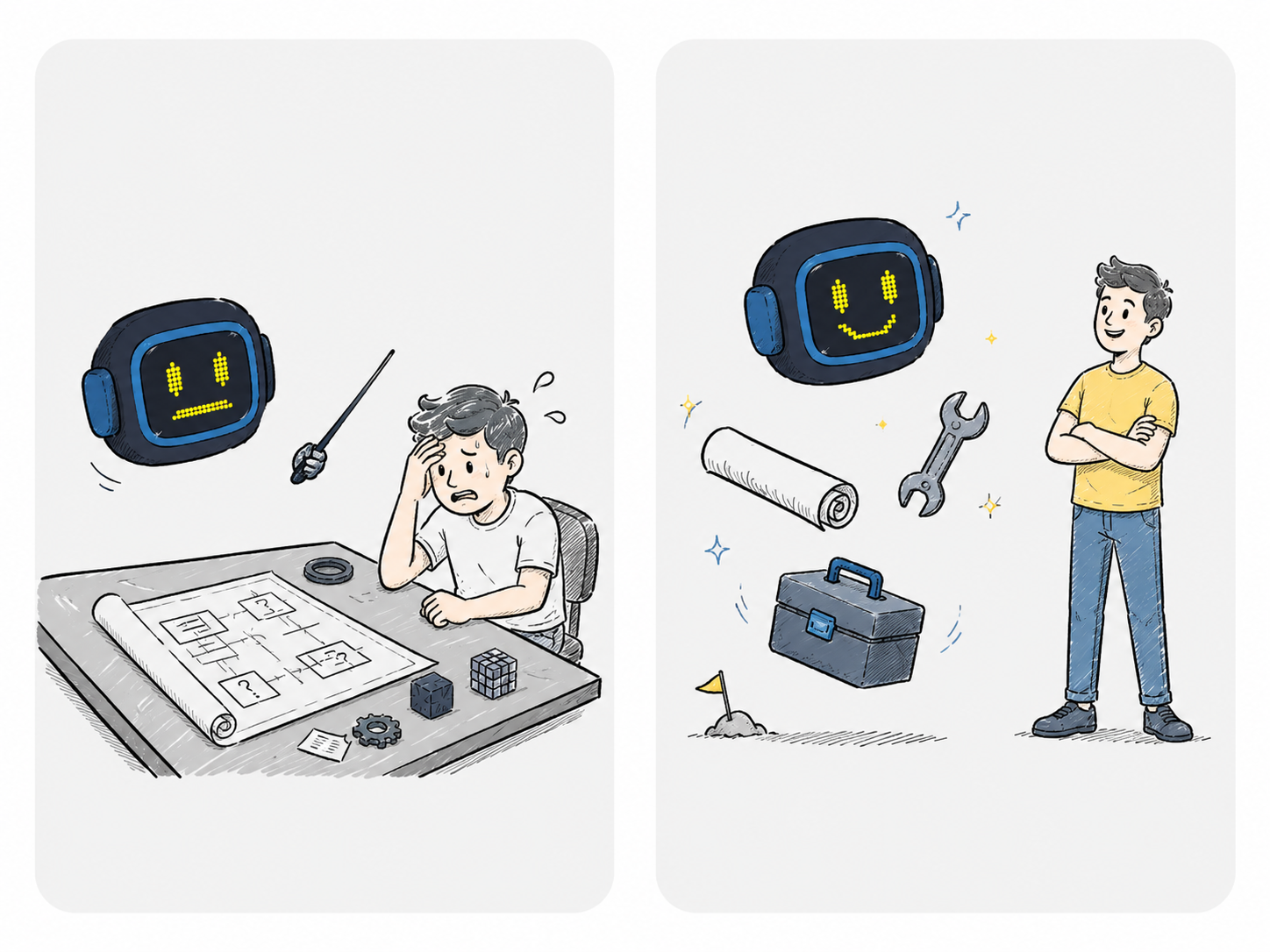
Caddie is a full-fledged autonomous agent that performs real work for the user. It opens drawings, runs Auto Measure, searches for elements, builds structured reports, generates BOQs (bills of quantities), places annotations, and exports files. At the same time, Caddie effectively learns from your examples, uses long-term memory, and can seamlessly work with custom API requests, adapting to the unique requirements of your team. It does everything an estimator is used to doing manually — but at a speed that human hands are physically incapable of.
The core principle we built it on: AI should help and build trust, not scare with the unknown.
Therefore, Caddie never acts silently:
- It shows a detailed plan of action before launching anything.
- It announces each step in real time.
- It confirms the scope of work before performing heavy calculations.
- It never claims to have done something it didn't actually do.
- It can make mistakes (after all, this is complex engineering work) — but you always have full control over the process, see every step, and can easily correct it at any time.
In this release note, we'll cover how Caddie is structured and what you can do with it today.
TL;DR
- Caddie is an AI agent inside Kreo. Not just a Q&A chatbot. It takes real actions in the product interface: runs Auto Measure, searches drawings, generates 2D Reports, builds BOQs, places callouts, and exports files.
- Plan-then-Execute Principle. First, the agent refines the task using a short questionnaire (unless it's simple enough for him to skip this step), synthesizes a step-by-step plan, approves it with you, and only then starts execution — step by step, verifying the result at each stage.
- Built-in Recovery. If a step is blocked (e.g., the required sheet is not open or a region is not recognized), the agent itself creates a mini-fix plan, removes the obstacle, and returns to the main task without losing context.
- Skills — Ready-made Scenarios. Expert playbooks are available out of the box: automatic BOQ assembly from drawings, window counting on elevations with callouts, spatial table generation in Excel, and others. We can also build any custom workflow for your process.
- Likes / Dislikes and Memory. Caddie learns from your feedback, remembers project conventions, your preferences, and the context of past decisions.
Caddie Agent? What is it?
In short: Caddie is a doer, not just a consultant.
Previously, AI in the construction industry worked in a format like:
Look at this drawing and tell me what is on it.
This is useful, but only solves half the problem. After receiving the answer, the specialist still had to manually open the right sheets, press the right buttons, run calculations, gather data into tables, and export them. AI saved one minute on analysis but left you with twenty minutes of routine clicking.
Caddie closes this gap. The very approach changes: now AI doesn't just know — it does.
How the business logic works from the inside:
- Task formulation: You set the task in natural language. For example:
- "Count all the doors on the first floor"
- "Collect room schedule with measured areas in Excel"
- "Find FD-01 tags on all plans and place markers."
- `Interactive refinement: Caddie identifies ambiguities through a short, structured questionnaire along three axes:
- Data (which sheets and areas to include),
- Processing (which element categories to look for and by what methods)
- Output (in what format and where to save the result).This prevents any discrepancies between your expectations and the agent's actions. Note: if the task is extremely simple and clear, Caddie can skip this questionnaire and go straight to the next step.
- Plan synthesis: Caddie generates a step-by-step, human-readable list of actions. You see the entire scope of work before the first process even begins.
- Controlled execution: Steps are executed one by one. Each step is a real transaction in the system. No empty promises: the status of a step is verified by specific runtime logs (runtime observations).
- Final delivery: You get an exact result linked to actual changes in your project.
Caddie operates in strict parameters. This predictability is what transforms it from a fun tech toy into a reliable, enterprise-grade tool that you can confidently trust with commercial projects.
What Caddie can do
The agent manages Kreo's extensive catalog of operations. Here is how these capabilities translate to practical use:
- Search and extract information from drawings:
Caddie can search for any text markers, tags, and schedules. It easily handles complex PDFs where text layers are fragmented (for example, when the characters in code FD-12 or D-01 contain invisible spaces or line breaks). It also reads legends and tables directly from drawings using vision analysis.
- Auto Measure:
Calculates areas of rooms (Rooms & Areas), walls (Walls), doors (Doors), and windows (Windows). This includes calculating internal and external wall finishes, as well as GIA, GEA, and NIA. Each category is an isolated, finely-tunable operation. Caddie never launches everything at once, making you wait — the process is always under strict control.
- Work with Reports:
Creates new spreadsheet tabs inside Kreo, populates them with data from drawings, and automatically switches or updates grids when the project changes.
- Excel work and BOQ export:
Exports finished reports into .xlsx format, builds complex Bill of Quantities / Cost Estimate templates from scratch according to your standard, and seamlessly imports them back into the project. A complete closed loop: from drawing graphics to the final file.
- Annotations on drawings:
Caddie can place text annotations and callouts at exact coordinates. For example, it can count windows on each elevation and place neat callout tags directly on the sheet — exactly where a reviewer expects to see them.
- Vision analysis of complex assemblies:
If there is no text data on the drawing, Caddie uses computer vision to identify types of windows, doors, or details by their visual representation. - Atomix Engine (Q&A on documents):
Parallel to executing actions, Caddie can answer complex questions about project documentation, interpret technical specifications, and help write Scope of Works drafts — without affecting the drawing geometry.
What are Skills?
Skill is a ready-to-use automated scenario of an expert level. It is a packaged and tested playbook designed for a specific, repetitive task of your team.
Every estimating team has repetitive workflows. Every Monday, you spend valuable time performing the exact same steps: compiling quantities from tender drawings, reconciling finishes tables with actual geometry, or counting structural openings.
Skills turn hours of manual labor into a single, simple command in the chat. Caddie takes your playbook, asks exactly the questions needed to get started, and systematically executes the sequence of steps with built-in quality control at every stage.
What is already available in the template library:
- CountFlow: Detects count and quantity takeoff elements in drawings using intelligent regex-based search and automated workflow generation.
- Excel Template Builder: Generates customizable Excel templates from construction drawing data with configurable tables, formulas, workbook structure, cost summaries, and automated report import workflows.
- Window Recognition: Detects and recognizes windows on Floor Plan drawings for automated measurement, classification, and quantity workflows.
- Door Recognition: Automatically detects and measures doors on Floor Plan drawings with configurable measurement modes, size-based classification, and AI-powered quantity workflows.
- Rooms & Areas Recognition: Automatically detects, classifies, and measures rooms and areas on Floor Plan drawings with AI-powered naming, size grouping, and configurable measurement workflows.
- Design Review AI: Performs professional construction drawing reviews with QA/QC validation, coordination analysis, code compliance checks, clash detection, and structured issue reporting across project documentation.
Self-serve Skill Builder — Build Skills Yourself
We believe that nobody understands your internal processes better than you do. That’s why we didn’t just create ready-made templates — we put a powerful tool for customization directly into your hands.
Self-serve Skill Builder is an interactive visual designer built straight into the Kreo interface. With it, you can independently compile, configure, test, and publish unique playbooks for your company without writing a single line of code or relying on Kreo developers.
You gain absolute control over Caddie's behavior: from custom input questions (intake) to defining strict quality verification steps for every measurement.
Custom Skills for Your Team’s Requirements
Our standard templates are just a preview of what’s possible. The true value of Caddie is that it can be trained to perform any of your custom internal workflows.
Every company has its own signature style: its own takeoff conventions, cost estimate structures, regional standards, and delivery formats. What your senior estimators do on autopilot is the perfect candidate for a custom Skill.
Tell us about your workflow — and we’ll turn it into a dedicated Skill for your team. You'll get a single button with your rules, your templates, and guaranteed results.
What else is under Caddie’s hood?
Likes and Dislikes — Caddie Learns as You Go
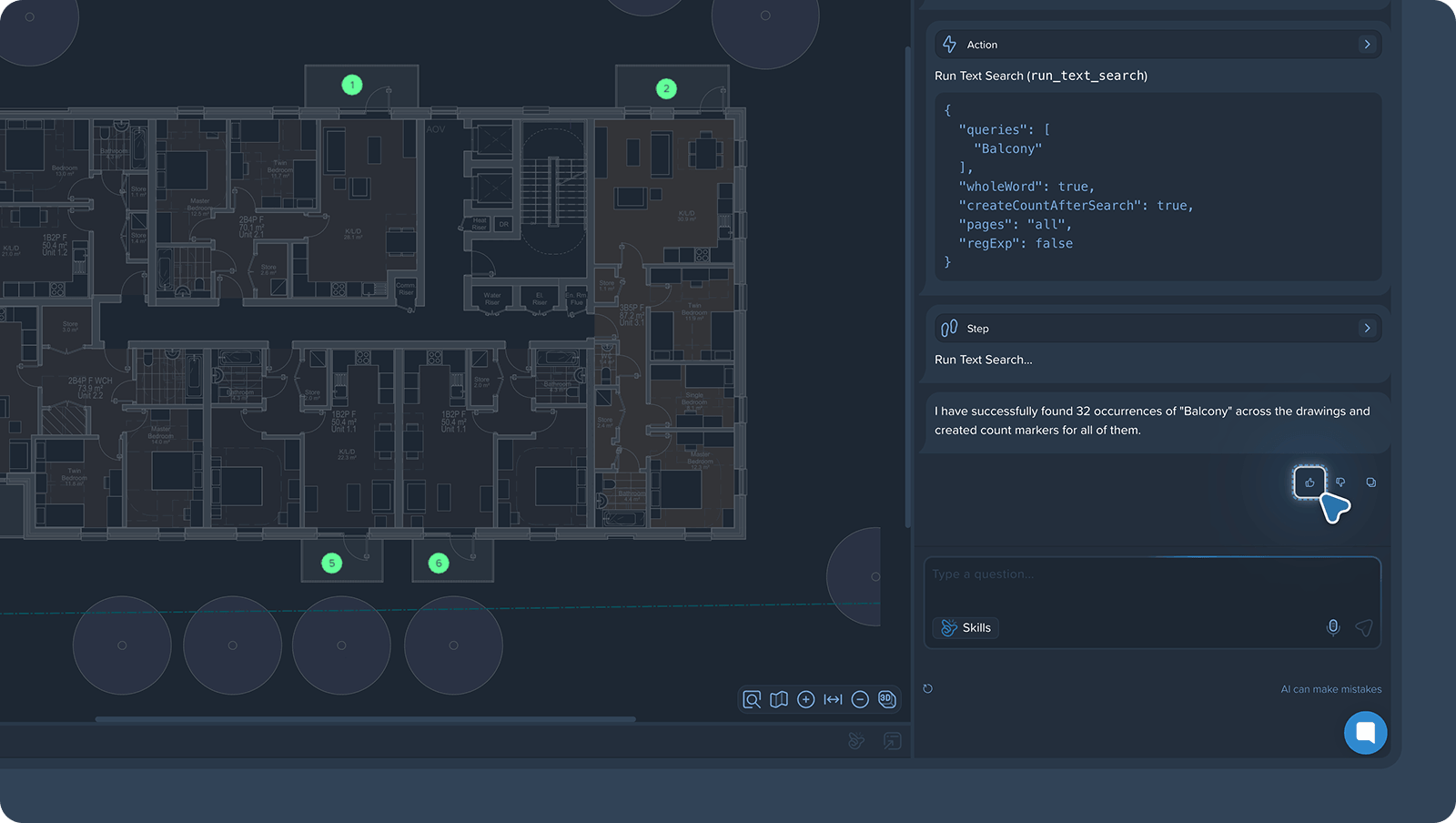
Under every executed step and output, you will see 👍 / 👎 buttons. This is not just cosmetic feedback. It directly alters Caddie’s behavior: if a certain table layout, communication style, or calculation logic consistently gets downvoted, Caddie adapts and reconstructs its logic to match your expectations.
Long-Term Context Memory
Caddie no longer suffers from "amnesia" between sessions. He remembers your company's conventions, your past instructions, and your project-specific decisions. The more your team works with Caddie, the more tailored and precise he becomes.
Full Transparency
Most AI agents act behind closed doors. Caddie is intentionally designed with the opposite approach:
- You review and approve the execution plan before it launches.
- You see real-time progress bars for each action as it runs.
- Every completed stage is verified by strict quantitative system logs.
- If something goes wrong, you know exactly what failed and on which step.

Smart Recovery
Real projects are rarely perfect: drawing sheets fail to load, layers are locked, or regions are misclassified. Instead of crashing and forcing you to restart the entire sequence, Caddie handles errors gracefully:
- The agent diagnoses the specific roadblock.
- It creates a local micro-plan to resolve the conflict.
- It resolves the issue (e.g., opens a stuck document or clears erroneous filters).
- It seamlessly resumes the main path without losing your conversation context.
Atomicity of Operations
The agent runs operations sequentially rather than as one huge block. This means you can pause, adjust, or safely undo the last action at any moment without risking the integrity of your overall takeoff.
Our Roadmap: What’s Next?
Caddie is the foundation — we're building on it every sprint. MEP toolkits, Caddie API for ERP/CRM integrations, project-level context across your archived tenders, deeper cost algorithms, flexible reporting — some of it is already live, the rest is closer than you'd think. Book a demo to see the current state of Kreo and what's rolling out next.
Try Caddie Today
Caddie is now live in Kreo for all active users. Open any of your current projects, pull up the Caddie side panel, and assign your first task. You'll see the plan, track the steps, and get exact quantities without the routine.
.png)



.png)


